
















Plugins 〉Solar Flow


Solar Flow
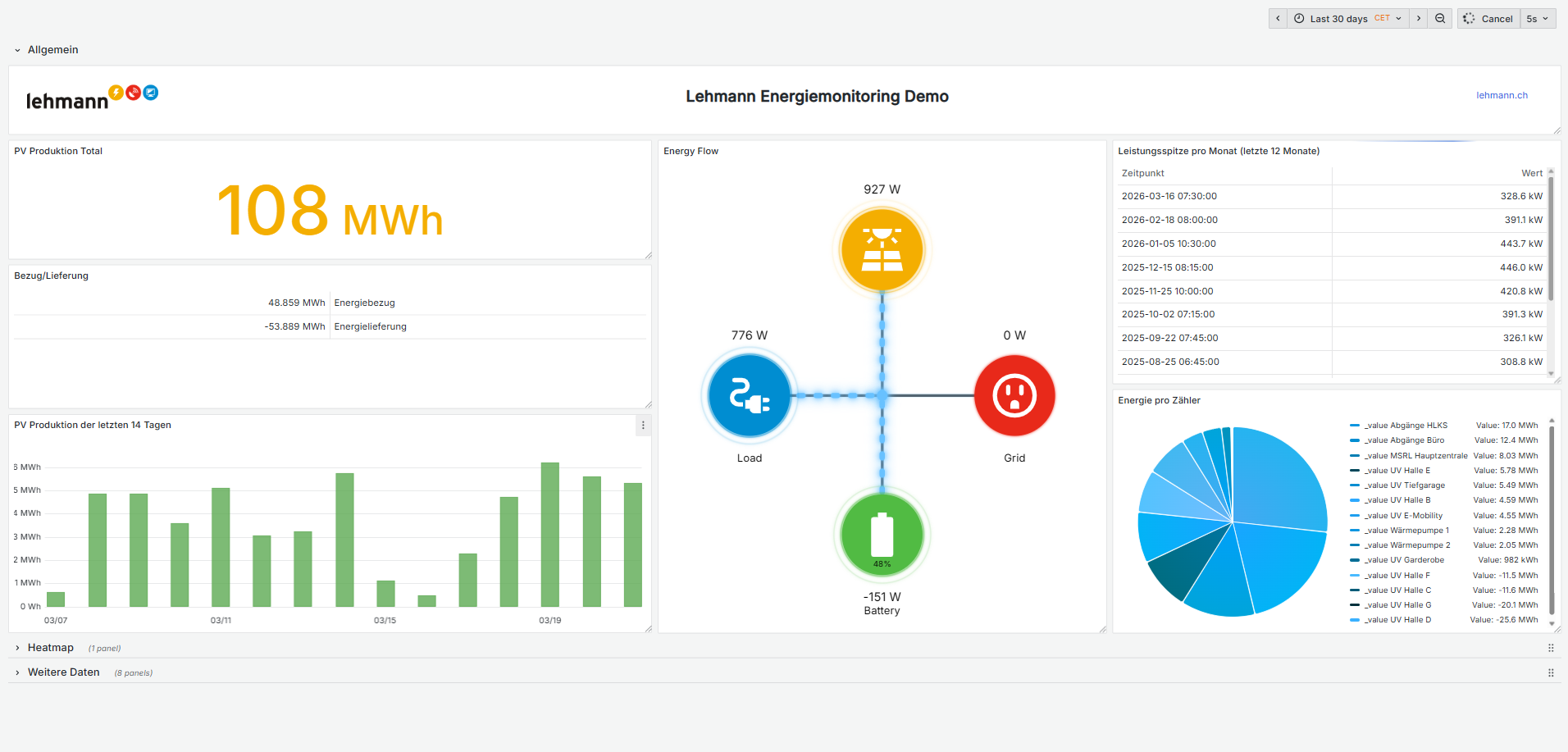
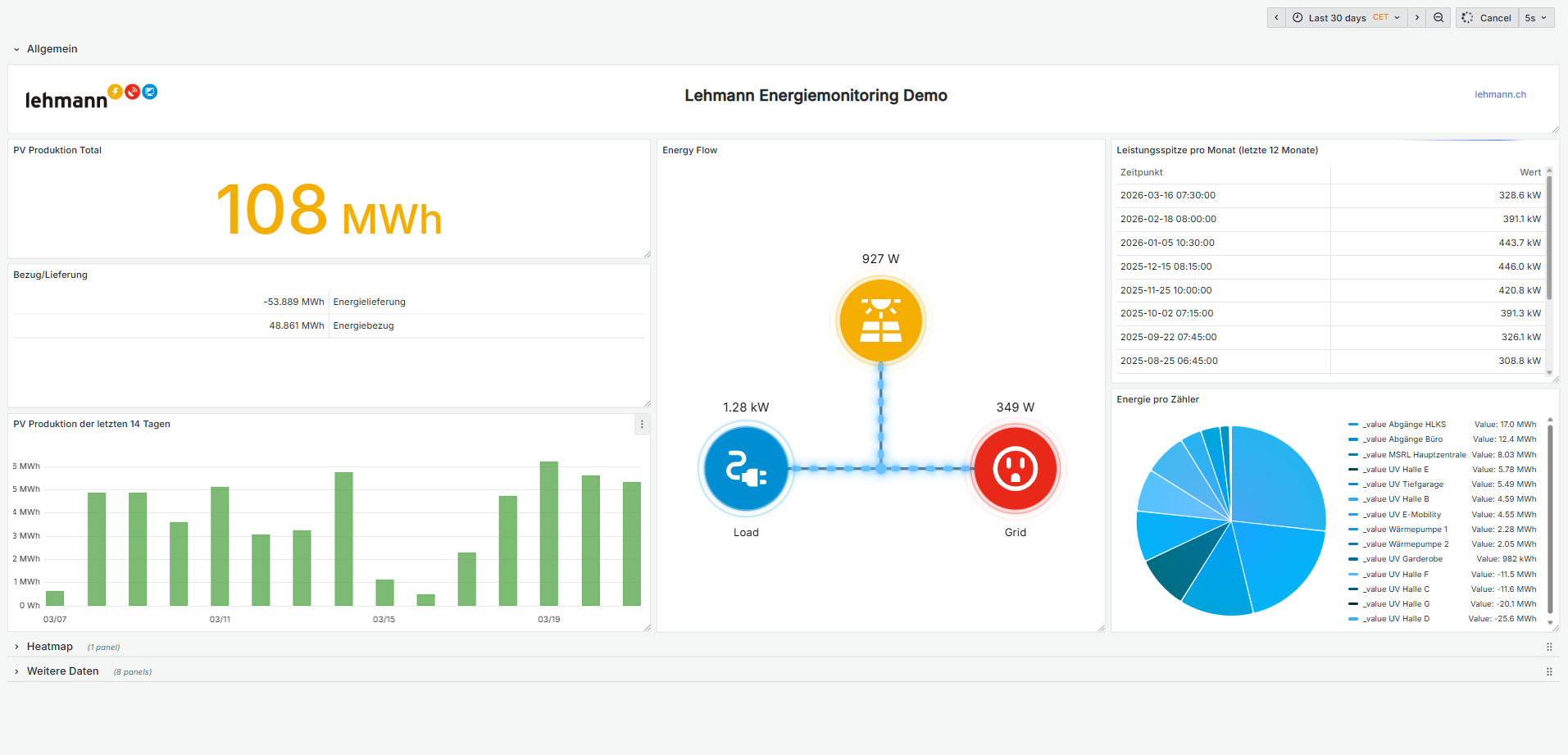
Solar Flow Visualisation
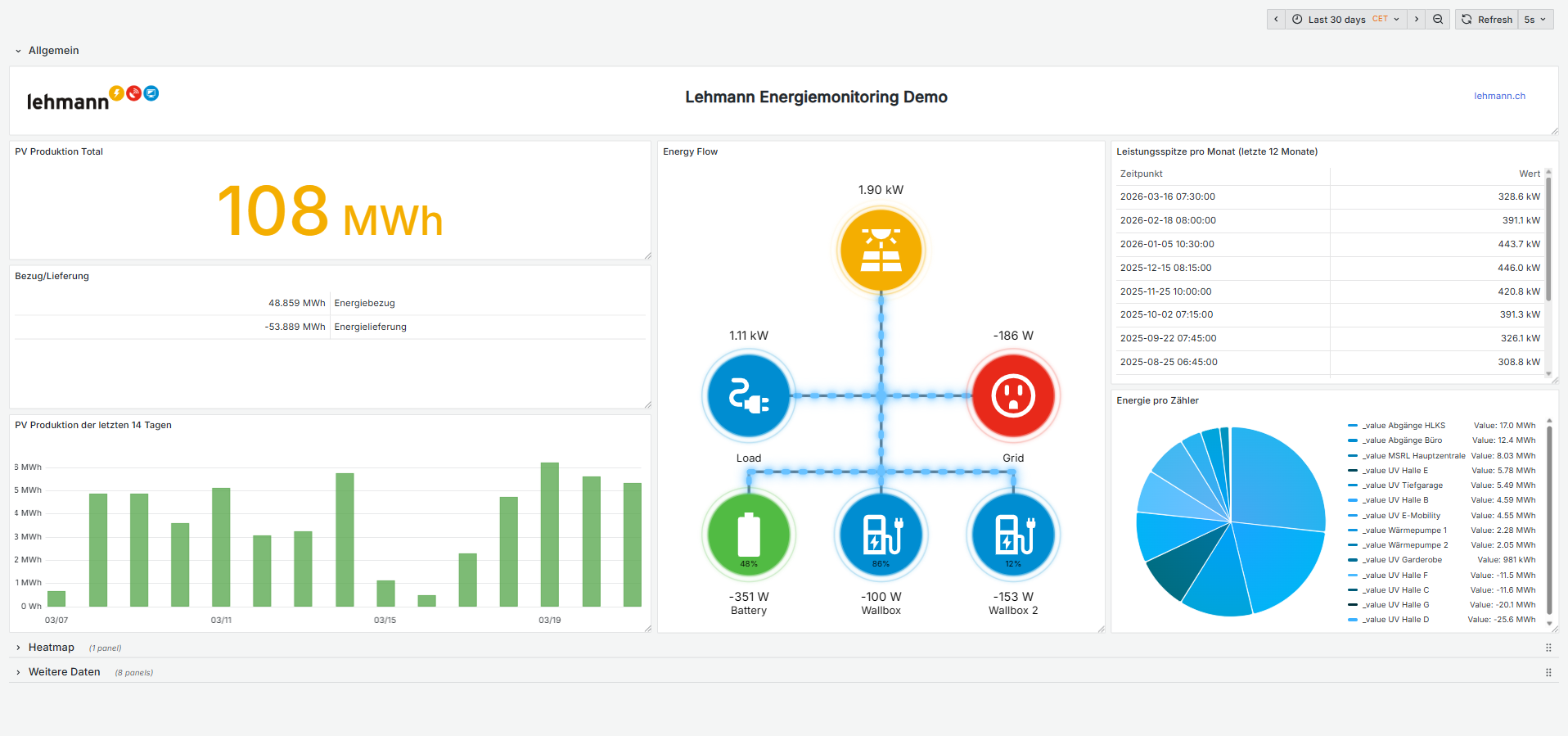
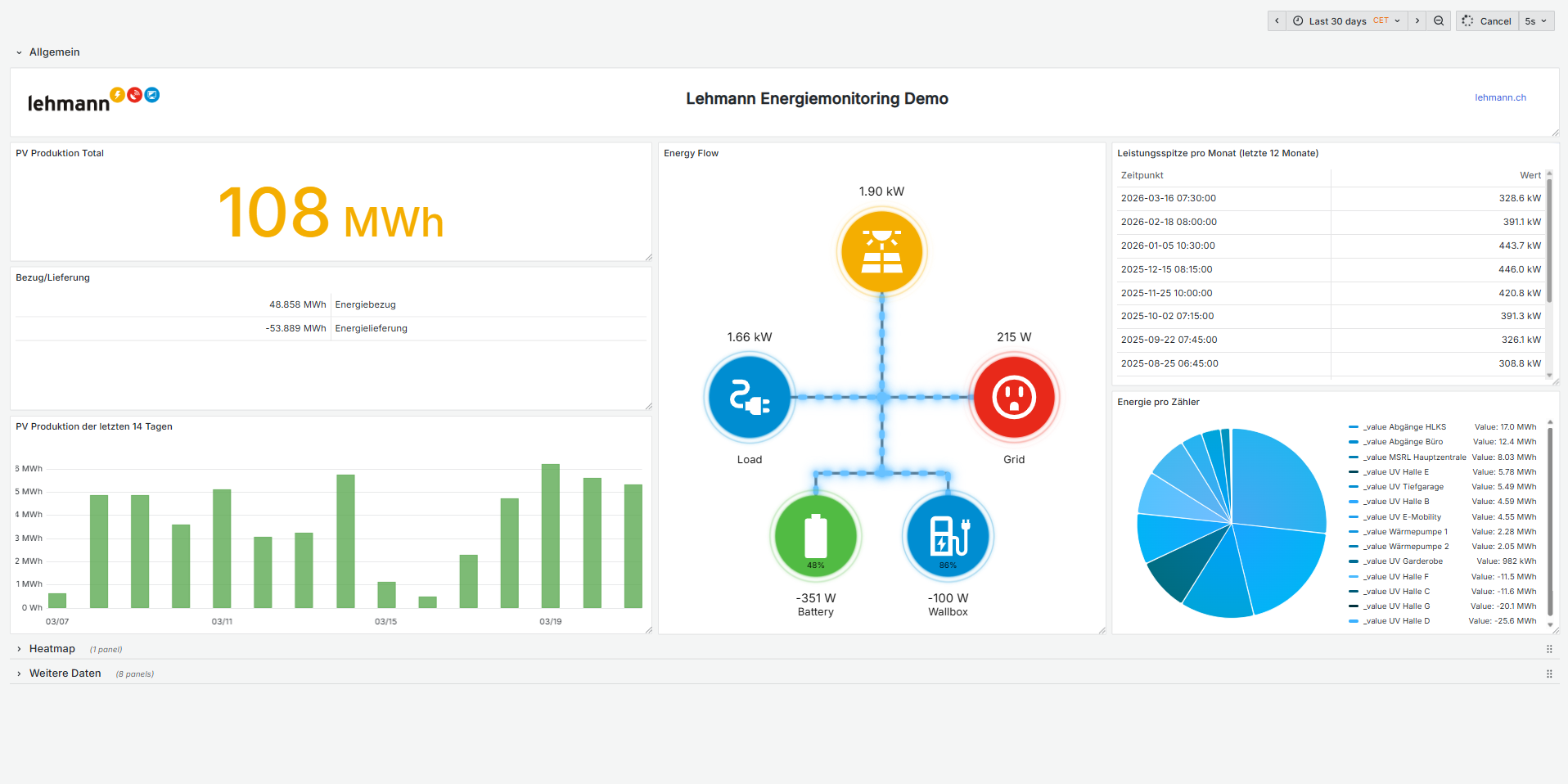
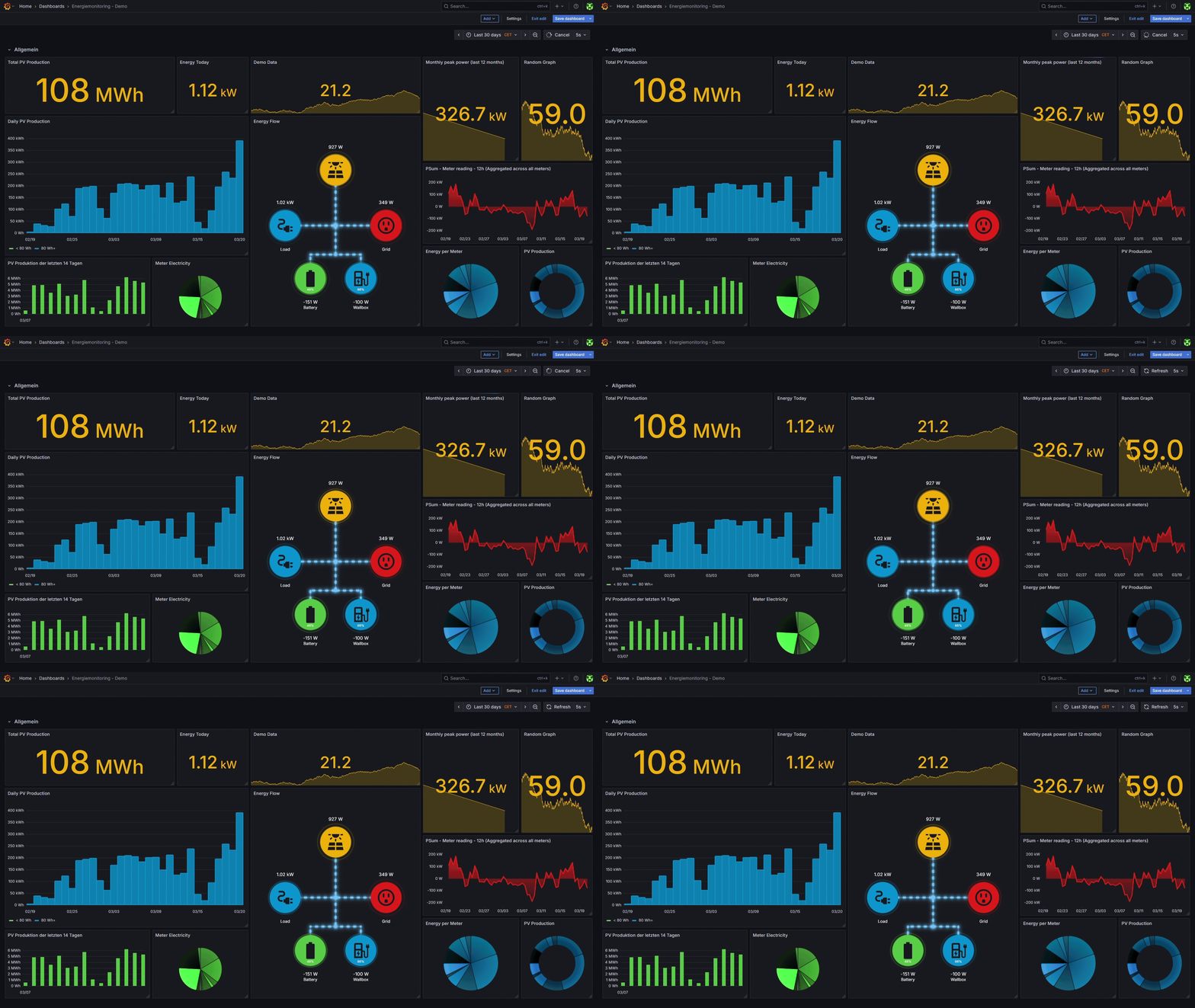
Solar Flow is an animated visualization of solar panel energy flow, designed as a Grafana panel plugin. It shows real-time energy movement between PV, Grid, Load, and up to 3 additional sources (battery, wallbox, etc.) with smooth particle-style animations.
Showcase
Installation
- Add the Solar Flow plugin to your Grafana dashboard
- Create a data source for your solar panel production data
- Provide the query for PV and Grid data in the plugin settings
- Adjust the panel options to your needs
Data Requirements
The plugin expects PV and Grid data from your data source. If your data is stored in separate tables, use Grafana's Data Transform feature to combine them into one query.
Options
Options are organized into collapsible groups in the panel editor sidebar.
Data Sources
- Solar Value — Field containing solar panel production data
- Grid Value — Field containing grid energy data
- Load Value (optional) — Direct load reading from the inverter. If set, overrides the calculated value (PV + Grid + Additional Sources)
- Measurement Unit —
Auto(W below 1000, kW above),kW, orW
Additional Sources (0–3)
Configure up to 3 additional energy sources (battery, wallbox, EV charger, etc.). Select the number of sources from the count selector — options for each source appear dynamically.
Each source has:
- Value — Energy data field
- SOC Value (optional) — State of Charge field (e.g. battery percentage)
- Label — Display name
- Icon — Battery, EV Panel, or Solar Panel
- Color — Circle color
- Always Show — Show even when value is 0
Layout adapts automatically:
- 1 source — centered below the hub
- 2 sources — side-by-side with a sub-junction
- 3 sources — row of three with a sub-junction
Animation
- Energy Line Threshold — Minimum value to show animated energy lines
- Speed Reference (W) — Power level at which animation runs at 1s/cycle. Lower = faster at low values
Layout
- Padding — Space between the diagram and panel edges
- Show Legend — Label the energy points
Colors
- Solar / Load / Grid / Lines — Color pickers for core diagram elements
Releasing
This project uses GitHub Actions for automated builds and releases.
Creating a release
- Bump the version:
npm version patch # or minor / major - Push the tag:
git push origin main --follow-tags - The release workflow builds, signs, and creates a draft GitHub release with the plugin zip
- Edit and publish the draft release on GitHub
Setup requirements
To enable plugin signing, add a GRAFANA_ACCESS_POLICY_TOKEN to your repository secrets. Refer to the Grafana sign-a-plugin docs to generate the token.
Development
npm install        # Install dependencies
npm run dev        # Start webpack in watch mode
npm run server     # Start Grafana via docker-compose
npm run build      # Production build
npm run lint       # Lint
npm run typecheck  # Type check
npm run test:ci    # Run tests
Grafana Cloud Free
- Free tier: Limited to 3 users
- Paid plans: $55 / user / month above included usage
- Access to all Enterprise Plugins
- Fully managed service (not available to self-manage)
Self-hosted Grafana Enterprise
- Access to all Enterprise plugins
- All Grafana Enterprise features
- Self-manage on your own infrastructure
Grafana Cloud Free
- Free tier: Limited to 3 users
- Paid plans: $55 / user / month above included usage
- Access to all Enterprise Plugins
- Fully managed service (not available to self-manage)
Self-hosted Grafana Enterprise
- Access to all Enterprise plugins
- All Grafana Enterprise features
- Self-manage on your own infrastructure
Grafana Cloud Free
- Free tier: Limited to 3 users
- Paid plans: $55 / user / month above included usage
- Access to all Enterprise Plugins
- Fully managed service (not available to self-manage)
Self-hosted Grafana Enterprise
- Access to all Enterprise plugins
- All Grafana Enterprise features
- Self-manage on your own infrastructure
Grafana Cloud Free
- Free tier: Limited to 3 users
- Paid plans: $55 / user / month above included usage
- Access to all Enterprise Plugins
- Fully managed service (not available to self-manage)
Self-hosted Grafana Enterprise
- Access to all Enterprise plugins
- All Grafana Enterprise features
- Self-manage on your own infrastructure
Grafana Cloud Free
- Free tier: Limited to 3 users
- Paid plans: $55 / user / month above included usage
- Access to all Enterprise Plugins
- Fully managed service (not available to self-manage)
Self-hosted Grafana Enterprise
- Access to all Enterprise plugins
- All Grafana Enterprise features
- Self-manage on your own infrastructure
Installing Solar Flow on Grafana Cloud:
Installing plugins on a Grafana Cloud instance is a one-click install; same with updates. Cool, right?
Note that it could take up to 1 minute to see the plugin show up in your Grafana.
Warning
Plugin installation from this page will be removed in February 2026. Use the Plugin Catalog in your Grafana instance instead. Refer to Install a plugin in the Grafana documentation for more information.
Installing plugins on a Grafana Cloud instance is a one-click install; same with updates. Cool, right?
Note that it could take up to 1 minute to see the plugin show up in your Grafana.
Warning
Plugin installation from this page will be removed in February 2026. Use the Plugin Catalog in your Grafana instance instead. Refer to Install a plugin in the Grafana documentation for more information.
Installing plugins on a Grafana Cloud instance is a one-click install; same with updates. Cool, right?
Note that it could take up to 1 minute to see the plugin show up in your Grafana.
Warning
Plugin installation from this page will be removed in February 2026. Use the Plugin Catalog in your Grafana instance instead. Refer to Install a plugin in the Grafana documentation for more information.
Installing plugins on a Grafana Cloud instance is a one-click install; same with updates. Cool, right?
Note that it could take up to 1 minute to see the plugin show up in your Grafana.
Warning
Plugin installation from this page will be removed in February 2026. Use the Plugin Catalog in your Grafana instance instead. Refer to Install a plugin in the Grafana documentation for more information.
Installing plugins on a Grafana Cloud instance is a one-click install; same with updates. Cool, right?
Note that it could take up to 1 minute to see the plugin show up in your Grafana.
Warning
Plugin installation from this page will be removed in February 2026. Use the Plugin Catalog in your Grafana instance instead. Refer to Install a plugin in the Grafana documentation for more information.
Installing plugins on a Grafana Cloud instance is a one-click install; same with updates. Cool, right?
Note that it could take up to 1 minute to see the plugin show up in your Grafana.
Installing plugins on a Grafana Cloud instance is a one-click install; same with updates. Cool, right?
Note that it could take up to 1 minute to see the plugin show up in your Grafana.
Warning
Plugin installation from this page will be removed in February 2026. Use the Plugin Catalog in your Grafana instance instead. Refer to Install a plugin in the Grafana documentation for more information.
Installing plugins on a Grafana Cloud instance is a one-click install; same with updates. Cool, right?
Note that it could take up to 1 minute to see the plugin show up in your Grafana.
For more information, visit the docs on plugin installation.
Installing on a local Grafana:
For local instances, plugins are installed and updated via a simple CLI command. Plugins are not updated automatically, however you will be notified when updates are available right within your Grafana.
1. Install the Panel
Use the grafana-cli tool to install Solar Flow from the commandline:
grafana-cli plugins install The plugin will be installed into your grafana plugins directory; the default is /var/lib/grafana/plugins. More information on the cli tool.
Alternatively, you can manually download the .zip file for your architecture below and unpack it into your grafana plugins directory.
Alternatively, you can manually download the .zip file and unpack it into your grafana plugins directory.
2. Add the Panel to a Dashboard
Installed panels are available immediately in the Dashboards section in your Grafana main menu, and can be added like any other core panel in Grafana.
To see a list of installed panels, click the Plugins item in the main menu. Both core panels and installed panels will appear.
Changelog
v2.0.3 (2026-03-20)
v2.0.2 (2026-03-20)
Additional Source disappears, when value = 0 #16
Want to create the dark mode for the website #13
Width of the card is not properly adjusted in mobile mode #12
Modified Signature Problem #7
VALUE NOT DISPLAY #6
fix "npm run build" and always show additional source functionality #25 (niosHD)
set pointer-events:none on main div #20 (BenjaminHae)
Add option to hide energyLine when there is no significant power #19 (BenjaminHae)
Add option to always show additional source #18 (BenjaminHae)
display SOC for additionalSource #15 (BenjaminHae)
v1.1.0 (2024-09-12)
- ADD NEW ICON #9
- Adding Battery Charge and Discharge State #8
- Implement additional source feature #11 (d1msk1y)
- Another bunch of adjustments according to grafan support #4 (d1msk1y)
- Adjustments according to Grafana support #3 (d1msk1y)
v1.0.0 (2024-03-15)
* This Changelog was automatically generated by github_changelog_generator

